If you Want to Reactivate your subscription, the first step is to log in with the account you want to Reactivate
You can log in by clicking this link https://smodin.dev/login
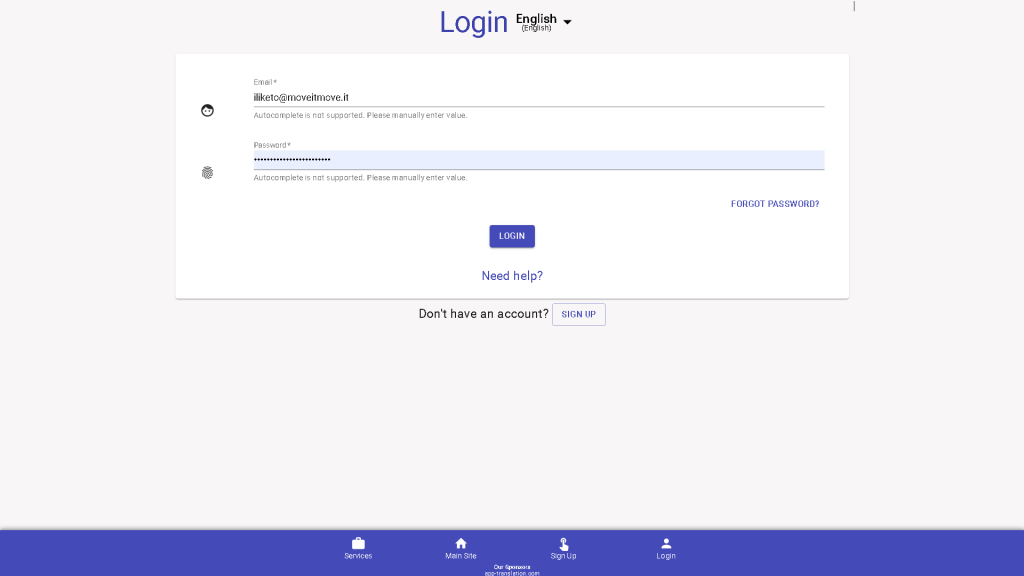
If you are already Logged in, you can also go there, by clicking the “Account” button
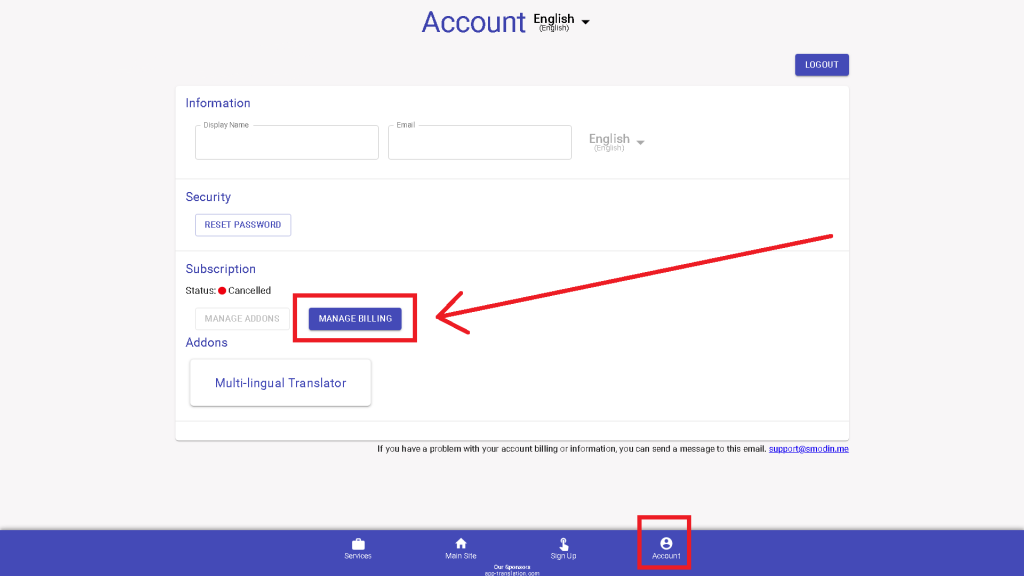
Once you are there, you will see a “MANAGE BILLING” button. Click it.
And a Manage Subscription Menu Will Appear!
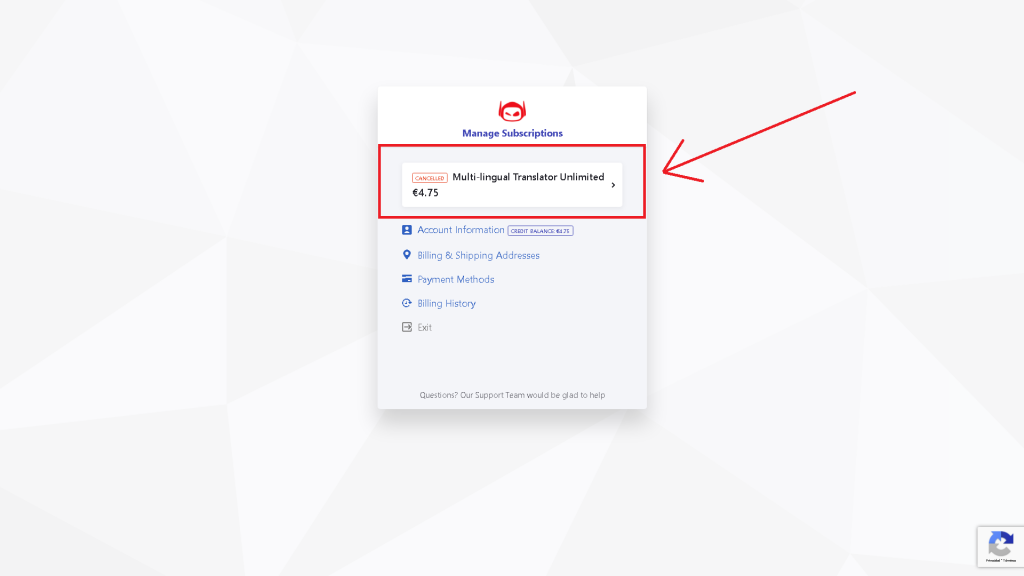
In this step, you could also modify your payment methods and details.
For now, we are going to click on the white box. it could say “Rewriter” or “Multi-Lingual translator” or both.
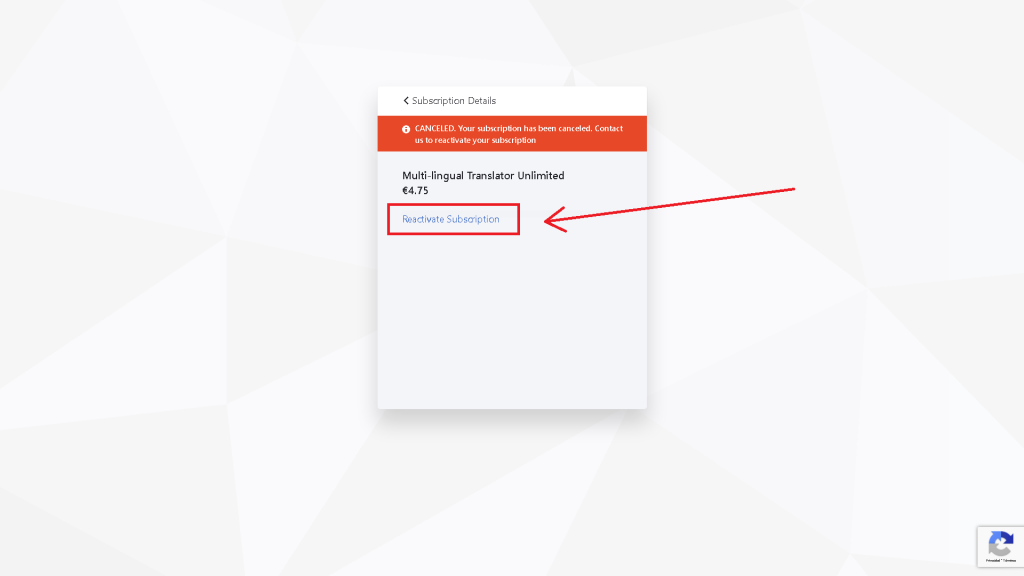
Click on “Reactivate Subscription”.
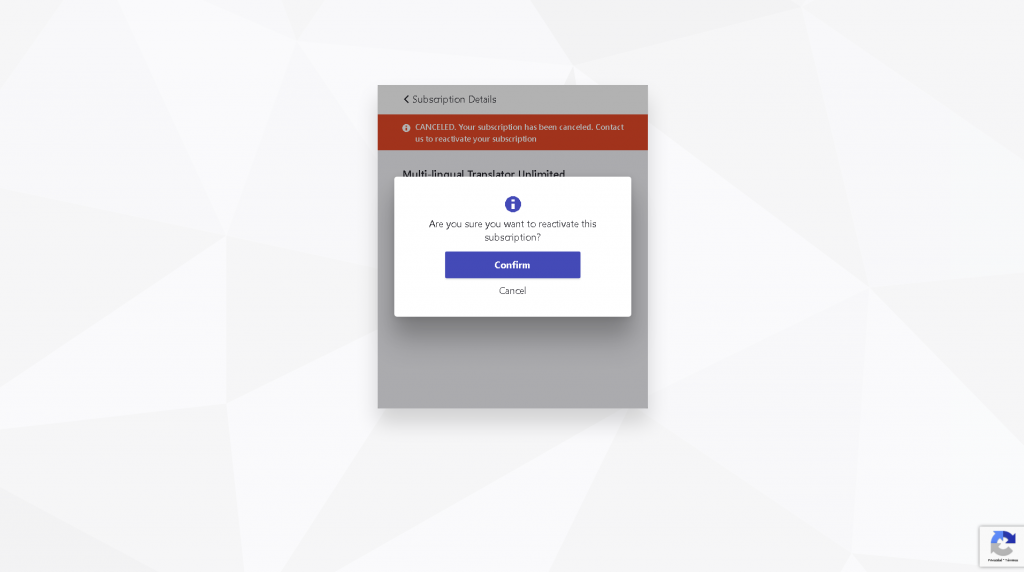
Accept the confirmation. And it’s done!
Congratulations on successfully reactivating your Smodin subscription. We’re glad to have you back. If you have any concerns about the subscription, or if you want to learn more about our latest writing tools, don’t hesitate to contact us. Speak with a Smodin representative today.
 Free
AI Rewriter
Free
AI Rewriter
 AI
Plagiarism Checker
AI
Plagiarism Checker
 AI
Content Detection Remover
AI
Content Detection Remover