We’re sad to see you go. But even though you’ve decided to cancel your Smodin subscription, we would gladly welcome all your concerns and inquiries about it. Our team can help you cancel, reactivate, or start a new subscription. Just let us know what you need by contacting us today.
If you Want to cancel your subscription, the first step is to log in with the account you want to cancel
You can log in by clicking this link https://smodin.dev/login
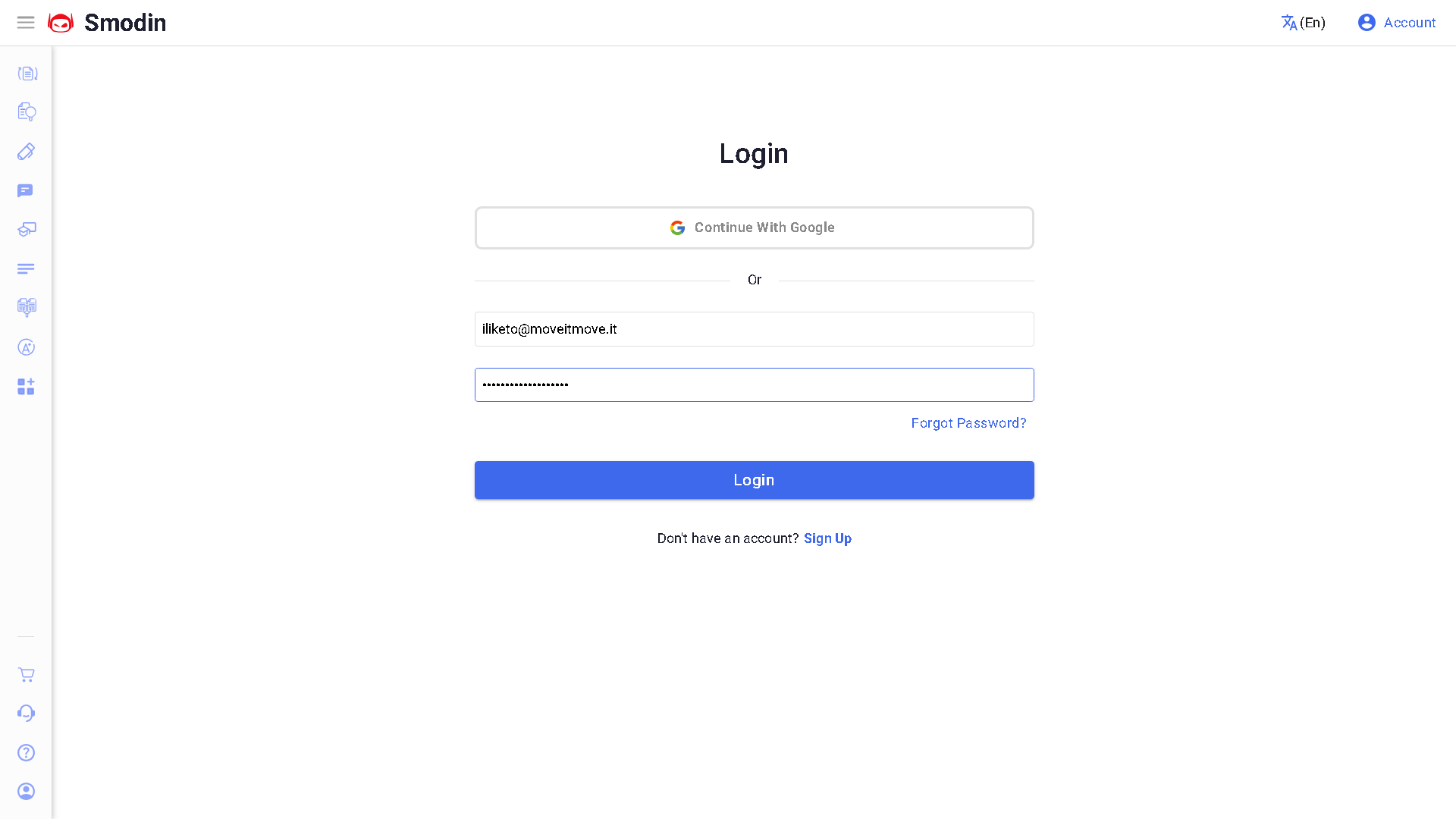
Once you log in, you should be redirected to your account page, you can also get there, by clicking the “Account” button, (marked in red, bottom right).
From here, please click the “Subscription” tab.
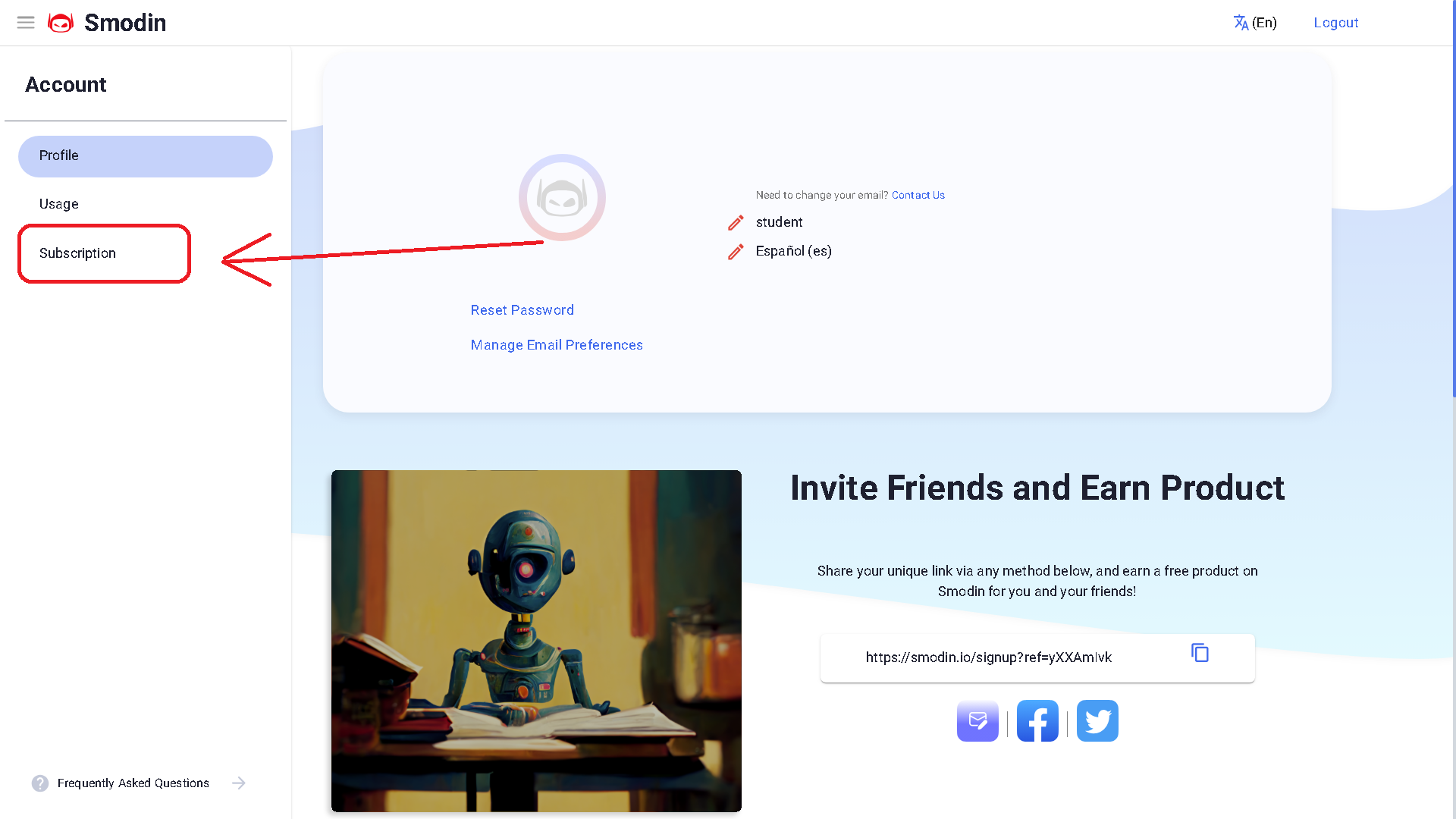
Once you are on the subscription tab, you will see a “CANCEL SUBSCRIPTION” button.
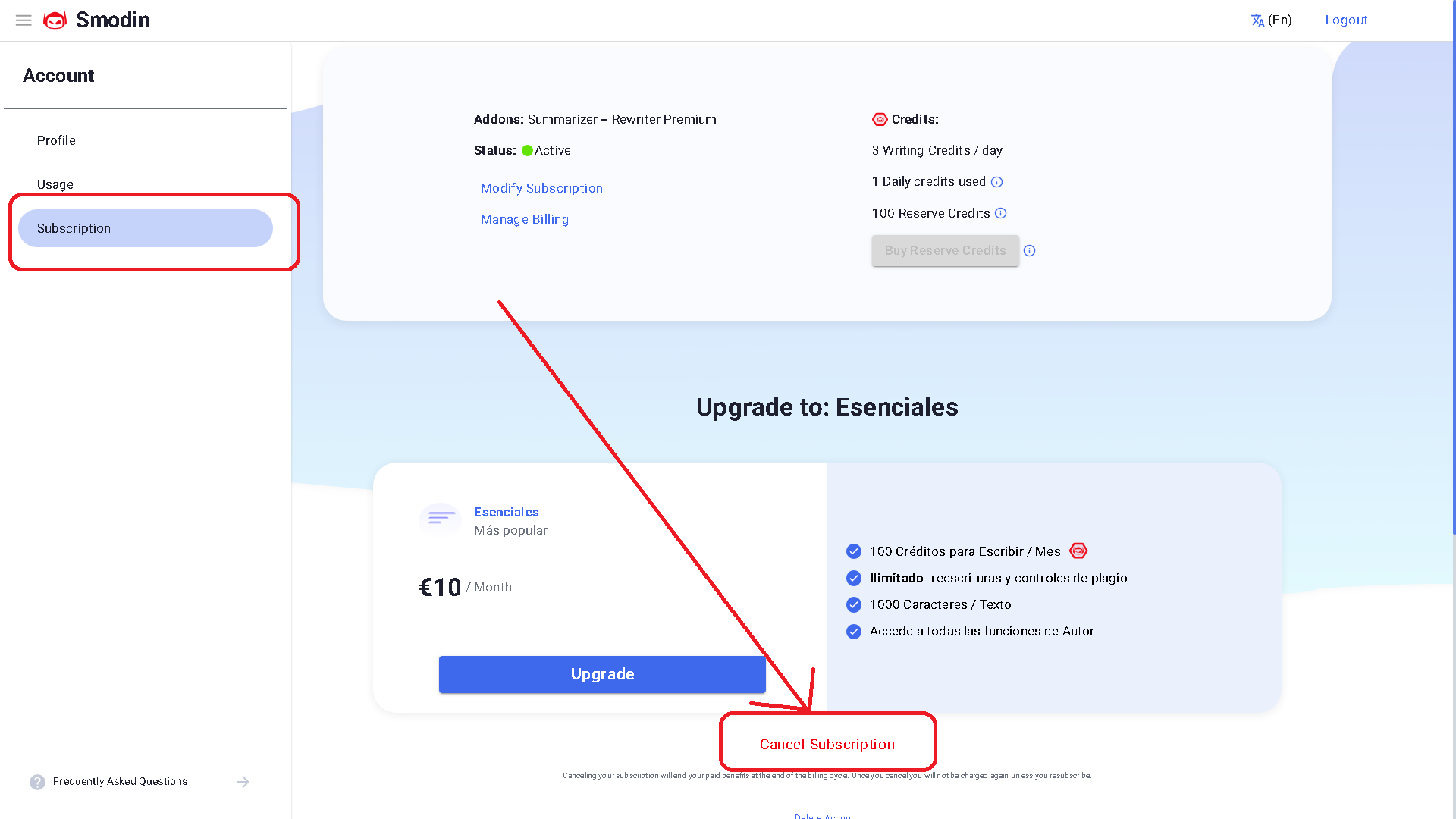
You just have to press it, and accept the confirmation. And it’s done!
You’ve successfully canceled your monthly subscription.
 Free
AI Rewriter
Free
AI Rewriter
 AI
Plagiarism Checker
AI
Plagiarism Checker
 AI
Content Detection Remover
AI
Content Detection Remover