The first step would be to…
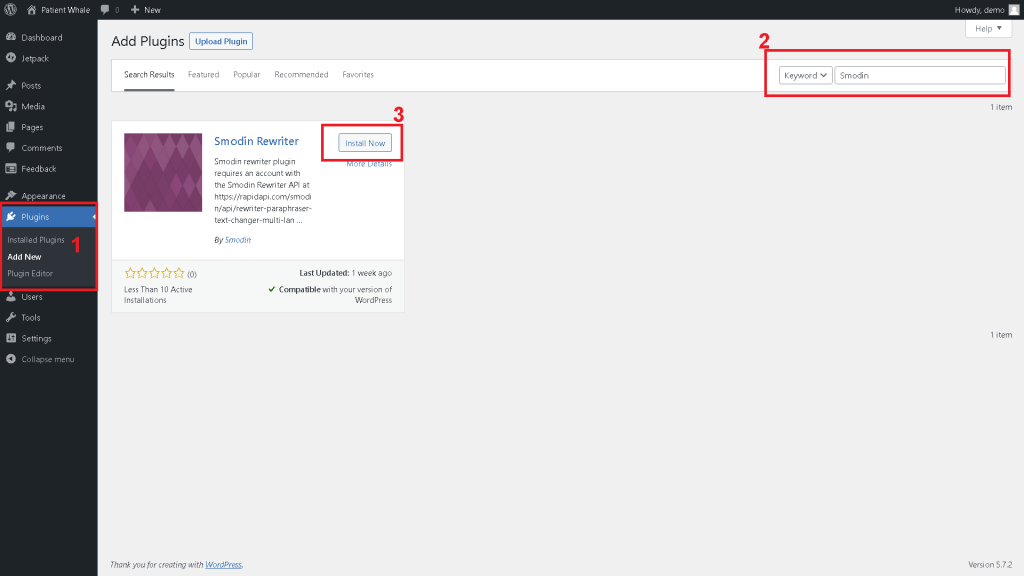
1- Go to Plugins, -> Add New.
2- Search for the plugin “Smodin Rewriter”
3- Click on install and activate.
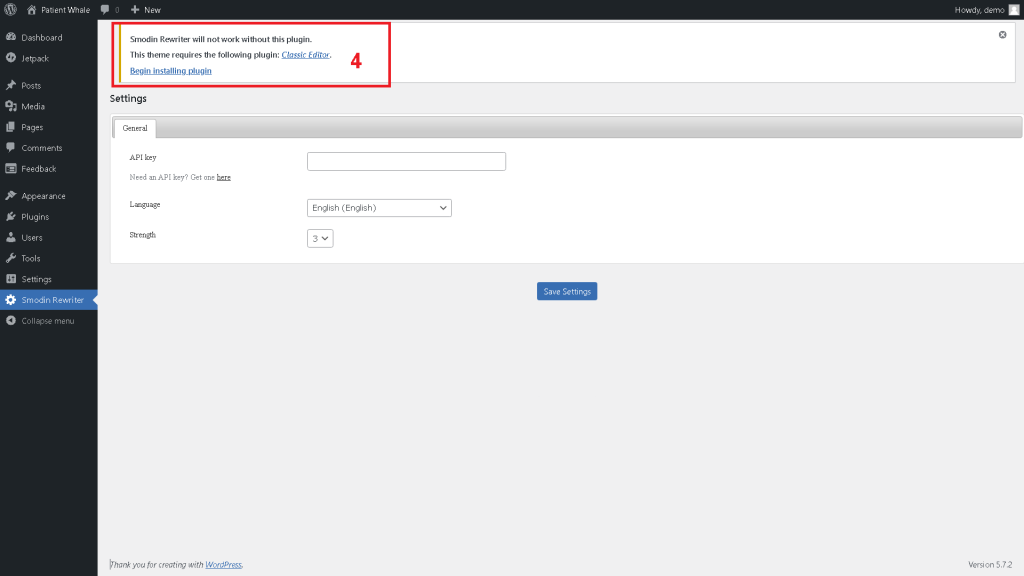
Once you click Install and activate, you will be redirected to the following page
4- Smodin needs the plugin “Classic Editor” to work, if you don’t already have it, click begin installing the plugin
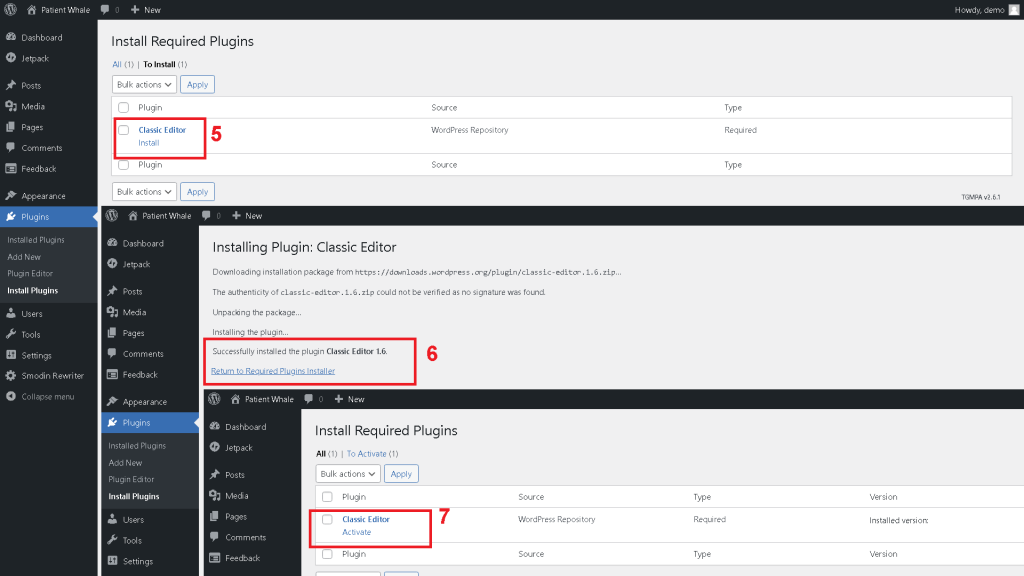
Once you click “Being install plugin”, you will be redirected to a new page, and it will redirect you again each time
5- Click Install classic editor
6- Once the installation is successful, click “Return to required plugins installer”
7- Click on “Activate” classic editor
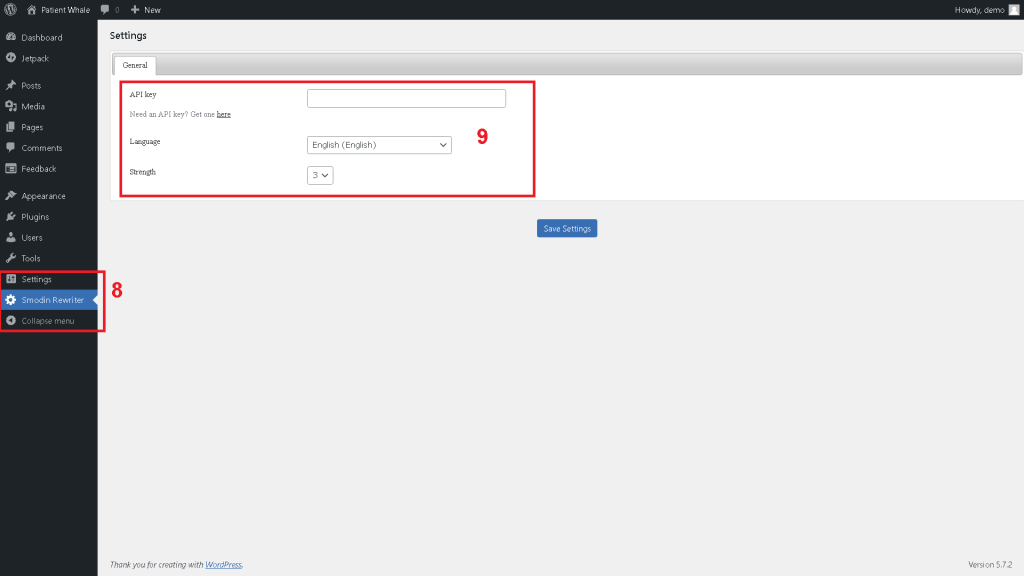
8- Click on Smodin Rewriter settings
9- Add your API Key, select the language and the strength you want for the rewriter
Don’t have an API key? you can get one HERE you will get an “X-RapidAPI-Key”, you simply have to copy-paste it on step 9
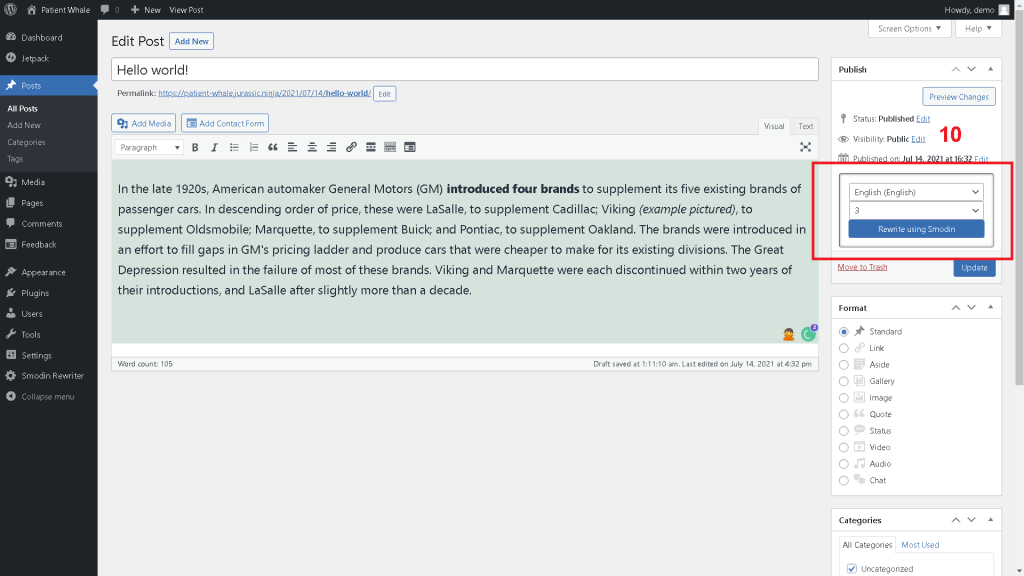
10- Go to add a post, or edit an existing one, select the language you want, click on Rewrite, and it’s done!
You’ve installed Smodin’s rewriter plugin for WordPress Successfully
Congratulations on installing your rewriter plugin. If you have further concerns about the installation process, or if you encounter any problems with the plugin while you use it, please let us know. We’re more than glad to fix it for you. So get in touch with us today.
 Free
AI Rewriter
Free
AI Rewriter
 AI
Plagiarism Checker
AI
Plagiarism Checker
 AI
Content Detection Remover
AI
Content Detection Remover